Two Player
Start with
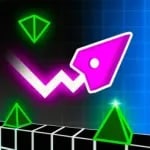
Geometry Vibes 3D
Free to start · Play in your browser
The game may take a moment to load.
Try loading the game again or keep waiting.
 Geometry Vibes 3DFeatured game
Two Player Games Unblocked
Share the challenge. Your next browser break starts here.
Explore more games
Arcade Games Unblocked
Arcade·Collection

Aeronaves
Flight·Collection
Alienigena
Adventure·Collection
Basketbol
Sports·Collection
Boys Games Unblocked
Arcade·Collection
Bulmaca
Puzzle·Collection
Dinossauro
Adventure·Collection

Driving Games Unblocked
Driving·Collection
Macera
Adventure·Collection
Polet
Flight·Collection
Basketball Superstars
Sports·Play online
Demolition Derby 3
Driving·Play online
No games found
Try another name or explore all games.
Showing up to 12 picks from the collection.
View all gamesAbout Two Player Games Unblocked
Two Player Games Unblocked is a collection for sharing a game. Start with Geometry Vibes 3D, a rhythm-based obstacle challenge. Choose a mode and check each player’s controls. Two-player games can use a shared keyboard; online matchmaking and other modes depend on the individual title.
Use the play button to load Geometry Vibes 3D. Loading time, available modes and saved progress depend on the game. You can return here to discover another collection whenever you are ready.
Get into the game.
THE QUICK START GUIDEStart Geometry Vibes 3D
Press “Let’s play” above and allow the game to finish loading. Click inside the player before using the keyboard.
Learn the controls
Select a mode and read the assigned press-and-release controls for each player before the run starts.
Try a new approach
Agree on the controls before the countdown and leave enough space between hands.
Before you play.
Little questions. Straightforward answers.
What is Two Player Games Unblocked?
Two Player Games Unblocked is a browser-game collection. The featured game on this page is Geometry Vibes 3D; use the other collections below to explore another style of play.
Can I play for free?
You can start the featured browser game without buying or installing an app. Individual game providers may show advertising or offer optional purchases.
Does it work on my device or network?
Support depends on the individual game and browser. Read the controls before starting; keyboard games are easiest on a computer. Network restrictions can still prevent a game from loading.
What if the game does not load?
Give the game time to download, then try Reload game if needed. If it still does not load, choose another game below.
Made for your next little break.
Back to the game ↑